> For the complete documentation index, see [llms.txt](https://docs.unitlab.ai/llms.txt). Markdown versions of documentation pages are available by appending `.md` to page URLs; this page is available as [Markdown](https://docs.unitlab.ai/documentation/zh/annotations/annotation-tools/auto-select.md).
# Auto select 自动选择
使用 Unitlab Workbench 的 Auto select(自动选择)功能,无需切换工具即可编辑已保存的多边形、折线、骨架、矩形框和立方体。了解 Hover 与 Click 两种触发方式的区别,以及选中形状后可进行的各种编辑操作。
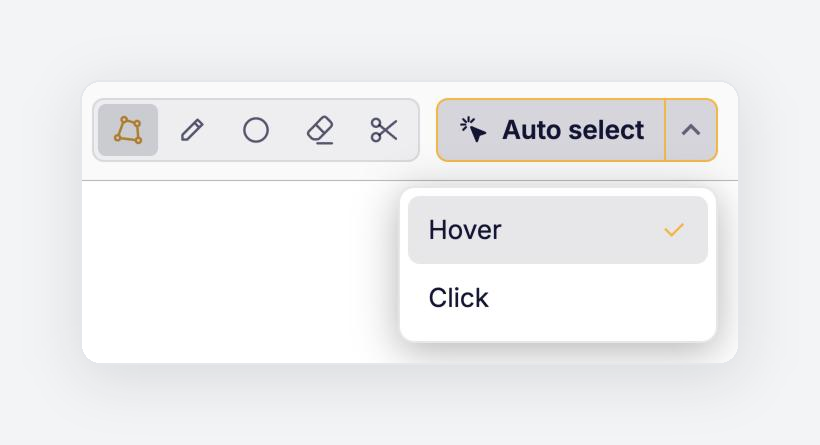
Auto select 让你在继续绘制的同时编辑已保存的形状。将指针停在某个形状上,它就会被激活;在空白处按下,就会绘制新形状。你无需在 **Pan** 和绘制工具之间来回切换。
 ## 适用范围
Auto select 适用于 **Polygon**(Vertex 模式)、**Polyline**、**Skeleton**、**Bounding Box** 和 **Cuboid** 工具。多边形的 **Brush**、**Eraser**、**Slice** 和 **Pencil** 始终会选中你按下的那个多边形。
## 开启功能
按 `A`,或使用 Workbench 顶部的 **Auto select** 开关。该设置对所有支持它的工具生效。
## 选择 Hover 或 Click
单击开关旁边的箭头,选择触发方式:
| 触发方式 | 如何选中形状 | 适用场景 |
| ------------- | ------------ | --------------- |
| **Hover**(默认) | 将指针在形状上停留片刻。 | 形状分布分散,且需要频繁编辑。 |
| **Click** | 只有单击形状才会选中。 | 形状密集或重叠,悬停容易选错。 |
无论使用哪种触发方式,单击矩形框、立方体或线条都会选中它。
## 选中形状后可以做什么
| 工具 | 选中形状后 |
| ----- | -------------------------------------------------------- |
| 多边形 | 拖动其顶点。向其中绘制以增加区域,或在其内部完整绘制以挖出孔洞。`Shift` + 在边界上按下可重画该段边界。 |
| 折线、骨架 | 单击线条插入一个点。轻按 `Shift` 可从最近的端点继续绘制;按 `Esc` 完成。 |
| 矩形框 | 调整大小和旋转。`Shift` + 单击可选中下层的矩形框。 |
| 立方体 | 拖动其角点和边上的控制点。 |
{% hint style="info" %}
如果要在已有形状上方绘制新形状(例如在夹爪上标一个抓取点),请关闭 Auto select。
{% endhint %}
相关内容:[多边形标注工具](https://docs.unitlab.ai/documentation/zh/annotations/annotation-tools/polygon.md) · [关键点、折线与骨架](https://docs.unitlab.ai/documentation/zh/annotations/annotation-tools/points-polylines-and-skeletons.md) · [工具设置](https://docs.unitlab.ai/documentation/zh/annotations/workbench-settings.md)
机器人图像:[DROID 数据集](https://droid-dataset.github.io/)(Khazatsky 等,2024),CC BY 4.0。